
Practical Guide to Freshening Electronic Devices After Heavy Smoke Exposure
If you’ve inherited a device that carries the lingering tang of tobacco or someone in the household smokes around gadgets, you’re not alone. This comprehensive guide explains safe, effective, and device-friendly methods to remove cigarette smell from electronics while preserving function. For users who want a quick resource and product references, IBVape Shop|remove cigarette smell from electronics is cited as an example of specialty outlets that can provide targeted accessories and odor-control materials. Read on for a step-by-step approach, precautionary notes, and tested techniques that work for phones, laptops, controllers, headphones, TVs, and other sensitive equipment.
Why smoke odor lingers in electronics
Smoke contains volatile organic compounds (VOCs), nicotine residues, and particulate matter that settle into plastics, fabrics, foam, speaker grills, venting, circuit board crevices, and internal mechanical parts. Over time these residues polymerize and bond to surfaces, which makes the smell persistent. The objective when you try to remove cigarette smell from electronics is twofold: remove particulates and residues, and neutralize remaining odors without damaging components.
Safety first: power down and inventory
Always power off and disconnect devices before cleaning. Remove batteries, memory cards, SIM cards, and detachable modules. For devices with sealed batteries (most modern phones and tablets), do not attempt deep disassembly unless you have the correct tools and experience. For larger gear like game consoles, stereos, or desktop PCs, unplug everything, allow capacitors to discharge (wait 30–60 minutes), and ground yourself to avoid static discharge.
Checklist before you begin
- Power off and unplug device.
- Remove external storage, SIMs, batteries if possible.
- Work on a clean, static-free surface with good lighting.
- Prepare gentle cleaning materials: lint-free cloths, isopropyl alcohol (90%+ for electronics), cotton swabs, compressed air, soft brushes.
- Gather odor absorbers: activated charcoal, baking soda, zeolite packets, and odor-neutralizing sachets or sprays labelled safe for electronics.
Step-by-step general cleaning
- Exterior wipe-down: Use a microfiber cloth slightly dampened with 70–90% isopropyl alcohol to wipe plastic, glass, and metal surfaces. Alcohol evaporates quickly and dissolves nicotine residues. Avoid soaking openings or seams.
- Crevices and vents: Use compressed air in short bursts to dislodge dust and particulates from vents, speaker grills, and ports. Hold the can upright and keep a safe distance to avoid moisture transfer.
- Contact and connector care: Carefully clean metal contacts and connectors with a swab lightly moistened with isopropyl alcohol. Let dry completely.
- Soft parts and straps: Removable foam, fabric covers, and straps can often be hand-washed or laundered according to the manufacturer. For non-removable fabric, vacuum gently with a brush attachment, then apply odor absorbers.
- Interior cleaning (if competent): If you know how to disassemble a device safely, remove dust bunnies and residues with soft brushes and isopropyl alcohol applied sparingly. Avoid touching circuit traces with bare hands.
Tools and materials that actually help
High-quality supplies matter. Reliable items include: activated charcoal pouches for passive odor absorption, baking soda in open containers (not directly on electronics), zeolite or molecular sieve packets, and odor-absorbing gels designed for enclosed spaces. For stubborn odors, specialized electronics-safe odor neutralizers (enzymatic or oxidizing agents formulated for consumer electronics) can be used carefully. Retailers like IBVape Shop and other niche suppliers often stock charcoal sachets, precision cleaning swabs, and safe odor eliminators suitable for devices that cannot be washed.
Targeted strategies by device type
Smartphones and tablets
- Exterior: Wipe with 70% isopropyl alcohol. Use a soft-bristled toothbrush for speakers and speaker grills.
- Cases and covers: Remove and launder or deep-clean cases separately; silicone and plastic can trap odors.
- Sealed devices: Avoid opening sealed devices at home; instead, perform exterior cleaning and odor absorption in a sealed container with activated charcoal for several days.
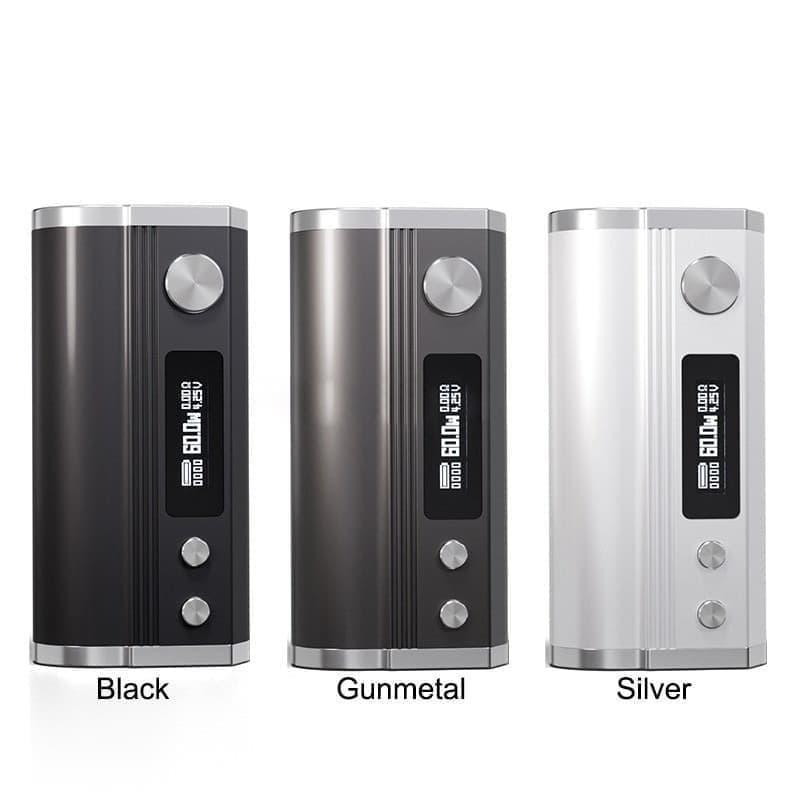
 IBVape Shop DIY Guide to remove cigarette smell from electronics and Restore Freshness” />
Laptops and keyboards
- Keycaps and detachable keyboards: Remove keycaps if possible and clean with warm soapy water; let dry thoroughly before reassembly.
- Built-in keyboards: Use compressed air and isopropyl swabs for the spaces between keys.
- Internal cleaning: If accessible, clean fans and heat sinks—smoke residues on cooling components often cause persistent smells when the device heats up.
Headphones and earbuds
- Replace foam eartips where possible. Foam absorbs smells quickly and is inexpensive to replace.
- For over-ear headphones, remove pads for washing if the manufacturer supports it. Use activated charcoal sachets inside the cup while they air out.
Game consoles, stereos, and TVs
- Open and vacuum dust away from boards and vents if you are experienced; otherwise rely on professional servicing.
- For non-user-serviceable units, using a sealed box with charcoal or baking soda placed near but not touching ports can reduce ambient smell slowly.
Natural and commercial odor absorbers—how to use them safely
Activated charcoal is excellent because of its high surface area; place charcoal pouches inside a sealed container or a breathable sachet next to the device. Baking soda neutralizes acidic odor compounds—put an open container near the device but never inside exposed ports. Zeolite and silica gel can help with moisture, reducing conditions that make smells persist. For persistent or smoke-saturated devices, rotate combinations: deep-clean, then bag with charcoal for 48–96 hours, then repeat a second cycle if needed.
Cautions: what to avoid
- Do not use bleach, ammonia-based cleaners, or household deodorizers that leave residues.
- Avoid spraying liquids directly into ports or seams.
- Don’t use air fresheners that coat surfaces; they mask rather than remove odors and may harm finishes.
- Ozone generators can neutralize smoke odors but can damage rubber, plastics, and some electronics; use with extreme caution and only for unoccupied spaces and non-sensitive equipment, ideally under professional advice.

Advanced and professional options
If consumer-grade steps fail, consider professional electronics cleaning or ultrasonic cleaning for small metal parts (screws, connectors). Authorized service centers and specialized shops can disassemble and chemically clean internal surfaces more thoroughly. Some shops offer thermal desorption or controlled ozone treatments in a way that protects electronics—ask about guarantees and methods before you commit. IBVape Shop|remove cigarette smell from electronics and other specialist providers can sometimes recommend local service partners or sell curated kits designed for smoke remediation.
Long-term prevention and best practices
Prevention is simpler than remediation. Implement no-smoking zones for rooms with electronics, store devices in sealed containers with sachets if they will be unused for long periods, and use washable or replaceable covers on frequently used gadgets. For households where vaping or smoking occurs, place air purifiers with HEPA and activated carbon filters near the smoking area and maintain regular cleaning schedules. These steps reduce deposition of residues and keep devices fresher longer.
How to judge success and when to stop
After cleaning, allow devices to dry and air out completely for at least 24–72 hours. Test functionality before reassembly, and check for residual odors under typical operating temperatures (devices often release more odor when warm). If smell persists despite several cycles of cleaning and passive absorption, deeper internal residues may remain and professional intervention or component replacement could be required.
Quick reference troubleshooting table
Problem: Persistent smell after exterior cleaning. Action: Place device in sealed bag with activated charcoal for 48–96 hours; repeat.
Problem: Odor returns when device heats. Action: Internal residues on heat sinks or fans—seek professional cleaning.
Problem: Smelly foam or pads. Action: Replace foam parts or launder if manufacturer allows.
Extra tips for resellers and refurbishers
If you refurbish devices to resell, establish a standard protocol: exterior clean, compressed air, isopropyl wipe, charcoal bagging, and functional testing. Document the process for customers to increase trust and to help reduce returns related to odors. Positioning a brand like IBVape Shop as a supplier for odor control materials and cosmetics can be a differentiator—use high-quality sachets, odor neutralizers, and replaceable pads to ensure consistent results.
Key takeaways
- Start with safe, non-invasive steps: power down, remove batteries, and perform exterior cleaning.
- Use isopropyl alcohol, compressed air, activated charcoal, and replaceable soft parts as first lines of defense.
- Avoid harsh chemicals and misting sprays that leave residues or damage electronics.
- For sealed or seriously contaminated units, seek professional cleaning to avoid irreversible damage.
- Retail and specialist suppliers such as IBVape Shop|remove cigarette smell from electronics can supply targeted supplies and advice for both consumers and refurbishers.
Resources and recommended supplies
Useful items to keep on hand: 90% isopropyl alcohol, microfiber cloths, ESD-safe brushes, compressed air, activated charcoal pouches, baking soda containers, replacement eartips and pads, and small humidity-absorbing packets. Check product labels to ensure compatibility with electronics and avoid solvent residues. If you need a curated kit, consider vendors that specialize in smoke remediation and electronics cleaning—these kits save time and reduce error.
FAQ
A: No. Air fresheners usually coat surfaces and mask odor rather than remove nicotine residues, and they may attract dust or leave sticky films that harm touchscreens.
A: Only if you have the right tools, antistatic precautions, and repair guides for that model. Many modern devices have delicate connectors and adhesives—if unsure, take it to a professional.
A: It varies: light exposures may clear in 48–96 hours with cleaning plus charcoal; heavy exposures may require weeks or professional treatment.
A: Ozone can degrade rubber and certain plastics and may accelerate corrosion—only use ozone in controlled, professional settings and not as a first option.
For more product suggestions, DIY kits, and accessory lists, consider browsing specialty suppliers and community forums where refurbishers share model-specific tips. Whether you’re refreshing a personal gadget or preparing devices for resale, combining careful cleaning with odor-absorbing strategies is the best approach to remove cigarette smell from electronics while preserving performance and appearance. IBVape Shop and similar niche shops can be partners in sourcing safe consumables and odor control materials to help restore freshness efficiently.